Pet
An animated pet from one picture: every state drawn from it, its poses counted and cut into equal cells on one sprite sheet.
Character picture and descriptionNine-state sprite sheet
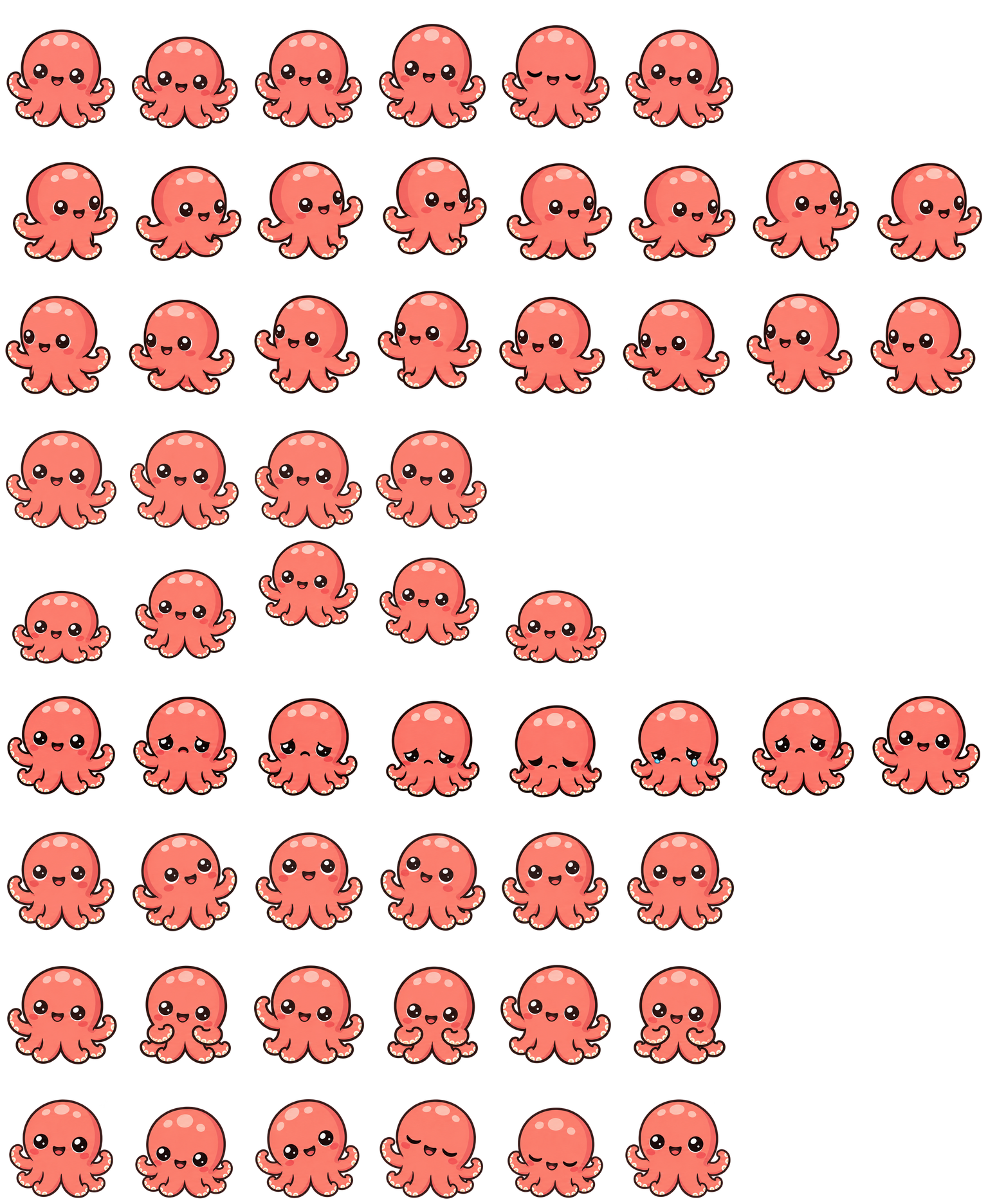
Loading sprite sheet…
Make it yours
Give your agent the brief, author a workflow, or start by using the finished assets.
FX guide Workflow source 1this character into an animated sprite sheet. Draw it once as the picture every state follows, then draw each state as one strip of poses from that picture. Count the poses in code and redraw a strip with the wrong count or a pose cut off at its edge. Cut the poses into equal cells on a shared ground line, and deliver the sheet, its frame timings and a preview of each state. Plan offline before drawing anything live.
Build an FX workflow that turns this character [1] into an animated sprite sheet. Draw it once as the picture every state follows, then draw each state as one strip of poses from that picture. Count the poses in code and redraw a strip with the wrong count or a pose cut off at its edge. Cut the poses into equal cells on a shared ground line, and deliver the sheet, its frame timings and a preview of each state. Plan offline before drawing anything live.Paste into your agent. Copy includes text and reference links; attach your own files to make it yours.
How it comes together
A sprite reads as one character only if every frame is the same character. This workflow draws the character once, then draws each state from that one picture. Code counts the poses in every strip, cuts them into equal cells on a shared ground line, and lays the rows out as one sheet with their timings.
01
Draw once
Redraw the reference, or draw from words, as the one picture every state follows.
02
Draw each state
Draw one strip of poses per state from that picture, with clear space between the poses.
03
Count
Find the poses in code. A strip with the wrong count, or a pose cut by its edge, is drawn again.
04
Lay out
Fit each row into equal cells at one scale, mirror a state where allowed, and write the sheet, its layout and previews.
Take it from here
Real files from this run. Use them in your own renderer, prototype, or engine.
preview.mp4
A looping video rendered from this run’s assets. Ready for a cover or preview.
assets/spritesheet.webp
Nine states in rows of up to eight 192 × 208 frames, transparent.
assets/sprite.json
Each row's state, frame count and frame timings.
assets/base.png
The one picture every state was drawn from.
assets/pet.json
The pet manifest Codex loads with the sheet, written for the default nine states.

A good fit for
- Simple characters: one shape, a few colours, one marking
- Idle, gesture and travel loops of up to eight frames
- Small sheets for games, companions and interface mascots
Production notes
Every strip passed its pose count on the first take. The jumping row is drawn about 8% smaller so the whole jump fits its cell. Waving and the busy state are subtle, the runs read as a bouncy scoot, and the failed loop starts and ends on a smile. The reference was itself generated from a text prompt.
Demo manifest